Introduction
-
The right mobile accessories transform an Android phone into a dependable tool for work, travel, gaming, and content creation.
-
Smart choices reduce friction, improve reliability, and extend device capabilities without costly upgrades.
-
This guide covers chargers, power banks, protection, audio, mounts, cables, storage, photography tools, gaming add‑ons, and creator kits.
-
The goal is simple: select mobile accessories that add daily value, not drawer clutter.
-
One category at a time, the sections below explain what to buy, why it matters, and how to pair items effectively.
Fast charging adapters
-
A quality USB‑C Power Delivery adapter saves time and heat by matching device needs with clean power.
-
For most phones, 25–30W PD is a sweet spot for fast, safe top‑ups at home and at the office.
-
If tablets and laptops are in the mix, step up to a compact 45–65W Gan adapter to charge multiple platforms.
-
Multi‑port chargers simplify travel by replacing several bricks with one reliable unit.
-
Wall‑plug stability and foldable pins are practical details for frequent movement.
Wireless charging pads
-
Wireless pads reduce cable wear and improve convenience on desks and bedside tables.
-
Choose a pad with grippy texture to keep cases aligned during overnight charges.
-
For Android, 15W compatibility and reliable thermals matter more than flashy designs.
-
Dual‑device pads are useful for phone plus earbuds charging without extra cables.
-
Magnetic alignment mounts help cars and desks, provided cases support magnetic rings.
Cables that last
-
An e‑marked 60W USB‑C cable prevents throttling and negotiation problems during fast charging.
-
Braided jackets add abrasion resistance for bags, bikes, and busy desks.
-
Keep one long cable for flexibility and one short cable for low‑loss charging on the go.
-
Label wattage on cable ends to avoid mismatches during quick setups.
-
Replace cables at the first sign of fray, kinks, or intermittent connectivity.
Power banks for Android
-
A 10000mAh pack is a slim daily backup, while 20000mAh supports trips, shoots, and long commutes.
-
Confirm PD wattage and, if possible, PPS to maintain speed and reduce heat with newer phones.
-
LED percentage displays improve planning; low‑current modes help earbuds and watches.
-
Airline‑friendly Wh labels make carry‑on screening smoother during travel.
-
Combine with a 30W wall charger to refill the bank quickly between outings.
Protective cases
-
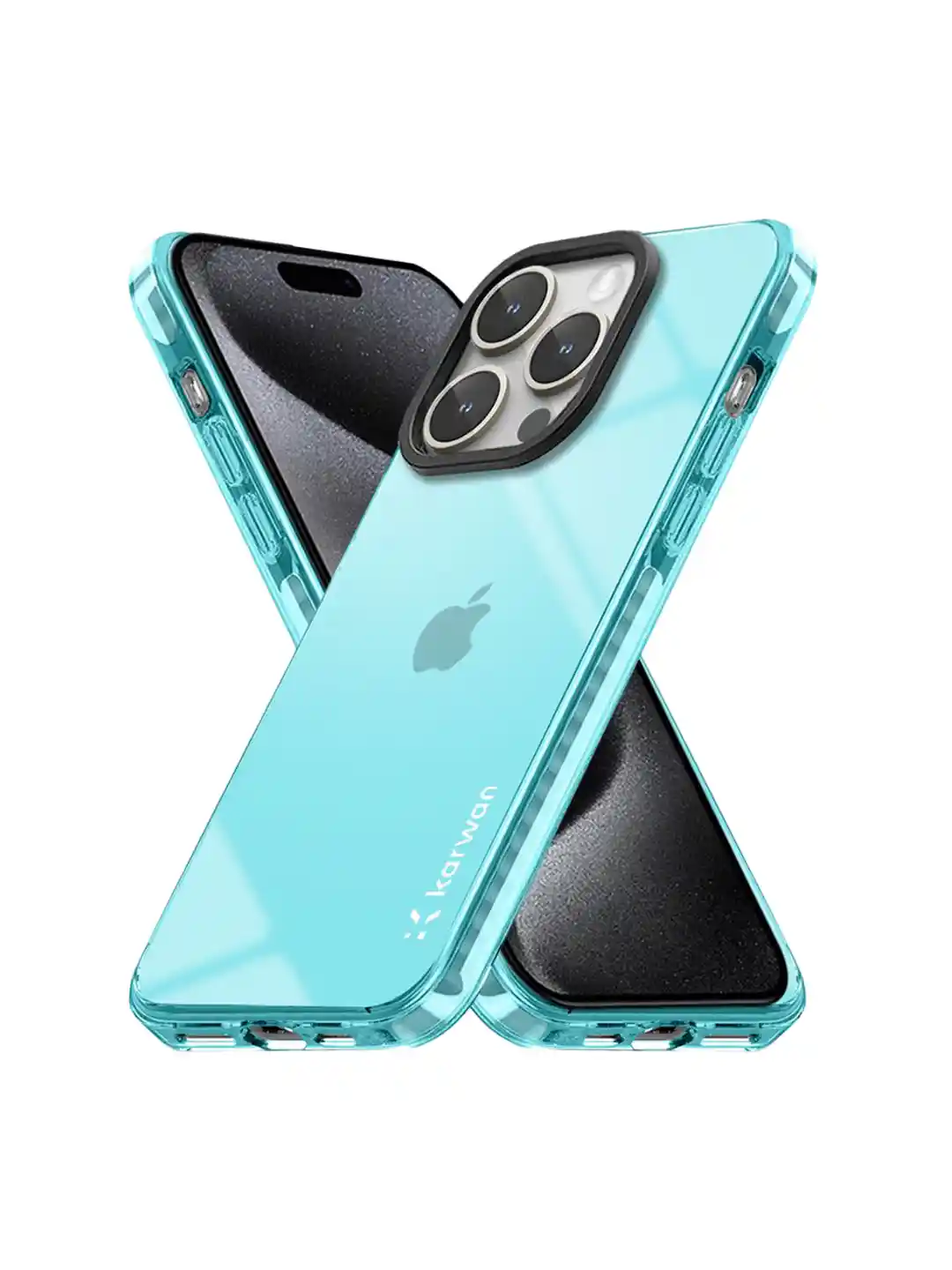
A drop‑rated case is the first line of defense for any phone used in the real world.
-
Raised bezels protect screens and cameras without adding unnecessary bulk.
-
Textured sides and lanyard points improve grip for photographers, riders, and commuters.
-
Kickstand cases help media viewing, video calls, and vertical content shooting.
-
Clear anti‑yellowing materials preserve finishes on colorful phones.
Tempered glass screen protectors
-
A high‑clarity 9H tempered protector absorbs scuffs and minor drops to save the display.
-
Anti‑glare coatings help outdoors and under studio lighting.
-
Privacy filters reduce shoulder‑surfing in transit and shared spaces.
-
Case‑friendly edges prevent peeling; dust‑free application tools improve fit.
-
Replace cracked protectors promptly to maintain smooth touch response.
Audio: earbuds and headphones
-
Wireless earbuds with ANC tame commuting noise and busy rooms.
-
Multipoint connections switch between phone and laptop without manual toggling.
-
Ear hooks or wings improve fit for workouts and long rides.
-
For creators, closed‑back headphones with accurate response aid editing and monitoring.
-
Water‑resistant ratings (e.g., IPX4 or better) suit wet weather and outdoor activity.
Bluetooth speakers
-
Compact speakers bring better sound to hotel rooms, kitchens, and outdoor spaces.
-
Look for rugged shells, dust resistance, and water protection for travel durability.
-
Battery life over 10 hours is a practical baseline for casual use.
-
Fast pairing and responsive volume controls matter more than extreme loudness.
-
Lanyards or carabiners help attach to packs and handlebars safely.
Car and bike mounts
-
Strong clamps and balanced arms keep screens readable without obscuring the road.
-
Vibration‑damped options protect camera modules during rough rides.
-
Rotating heads switch between portrait navigation and landscape maps.
-
Magnetic mounts speed up dock‑undock routines if cases support rings.
-
A safety tether is a wise backup for motorcycles and bumpy routes.
Creators: tripods and grips
-
A small tripod stabilizes reels, shorts, and time‑lapses on any flat surface.
-
Cold‑shoe adapters mount mics and small lights for clean mobile production.
-
Remote shutters prevent shake, keeping frames sharp during group shots.
-
A phone cage with handles improves panning and tilt control.
-
Quick‑release plates speed transitions between handheld and tripod shooting.
Mics and lights
-
A lav mic improves voice clarity for interviews and tutorials in noisy spaces.
-
Directional mics reduce ambient noise and focus on subjects in front of the lens.
-
A compact LED with adjustable temperature refines skin tones and product shots.
-
Diffusers soften harsh shadows in tight rooms and reflective surfaces.
-
Rechargeable lights with USB‑C ports integrate easily with mobile power ecosystems.
Gimbals and stabilization
-
Three‑axis gimbals turn walk‑and‑talks into smooth, watchable clips.
-
Balancing is faster with cases that keep weight near the centerline.
-
Start with basic follow modes, then learn tracking and timelapse routes.
-
Spare batteries or power pass‑through keep sessions going longer.
-
Practice pans, tilts, and orbits to build muscle memory for cinematic motion.
Storage and backups
-
A USB‑C thumb drive gives quick offloads for photos and video on location.
-
MicroSD expansion (if supported) buys time between full archival backups.
-
Keep a folder structure that mirrors cloud storage for easy merges.
-
Back up daily when traveling to avoid single‑point failure of content.
-
Label drives and readers so kits are faster to deploy under pressure.
Hubs, docks, and casting
-
USB‑C hubs add HDMI, SD, Ethernet, and extra USB‑A ports for desk setups.
-
DeX‑style or screen casting modes turn phones into lightweight workstations.
-
Wired casting avoids Wi‑Fi congestion where stability matters.
-
Pair hubs with a compact keyboard and mouse for extended sessions.
-
A tidy hub reduces cable sprawl and protects device ports from repeated wear.
Gaming controllers and latency
-
Bluetooth controllers deliver console‑style control for racing, shooters, and emulators.
-
Low‑latency modes cut input lag for competitive play.
-
Clip mounts balance weight from controller to phone comfortably.
-
Pass‑through charging maintains sessions during long runs.
-
Protective cases prevent joystick pressure while traveling.
Thermal care and performance
-
Heat is the silent killer of performance and batteries.
-
Cooling grips and stands add airflow during charging and gaming.
-
Avoid direct sun on dashboards and tank bags for device longevity.
-
Don’t stack devices on wireless pads; leave space for heat to escape.
-
Lower brightness and disable unused radios when power is scarce.
Wearables and tracking
-
Smartwatches mirror alerts and control media when phones stay in pockets.
-
Fitness bands track activity without draining phone batteries.
-
Bluetooth tags help locate keys, bags, and remotes from a phone dashboard.
-
Replace coin cells on a schedule to keep tracking consistent.
-
Choose privacy‑respecting platforms with clear, exportable data.
Magnetic ecosystems
-
Magnetic rings and plates enable faster docking on stands and mounts.
-
Check alignment and ring size for cases to avoid weak holds.
-
Beware of accessories that interfere with wireless charging coils.
-
Use adhesive rings that match phone dimensions for clean fit.
-
Keep magnets away from cards to prevent stripe damage.
Cleaning and care kits
-
A soft brush and compressed air remove dust from ports and grills.
-
Microfiber cloths keep lenses and screens free from smudges.
-
Isopropyl wipes sanitize without streaks or residue.
-
Swabs reach corners around camera islands and buttons.
-
A small pouch turns scattered tools into a ready kit.
Battery health habits
-
Short, frequent top‑ups are gentler than deep discharges for many devices.
-
Keep devices and chargers cool to reduce stress during fast charging.
-
Avoid cheap bricks that spike voltage and ripple power.
-
Store long‑term around 40–60% charge in a cool, dry place.
-
Replace worn cables to prevent overheating ports and connectors.
Travel packing lists
-
One compact GaN charger replaces two or three basic bricks.
-
A 20000mAh PD bank plus two cables covers phone and earbuds.
-
Add a small tripod, lav mic, and light for creator‑ready mobility.
-
Include a car mount and a short cable for rental vehicles.
-
Pack a pouch for adapters, card readers, and spare tips.
Emergency readiness
-
Keep a flashlight mode and a charged power bank accessible.
-
Download maps offline and carry a reliable cable for tethering.
-
A dust plug protects ports during storms and rides.
-
A tough case and glass save devices when repairs aren’t nearby.
-
An extra SIM tool and microSD adapter solve common road issues.
Home desk essentials
-
A vertical stand minimizes clutter and boosts airflow.
-
A multi‑pad wireless charger reduces cable tangle.
-
A hub routes video and data to monitors and storage.
-
Good speakers and a mic improve calls and streams.
-
Cable sleeves and clips tame wire chaos under the desk.
Car and bike power
-
Dual‑port 30W+ car adapters keep navigation and music stable.
-
Short cables avoid tangles around shifters and controls.
-
A strong mount places screens without blocking vents.
-
For bikes, a bar‑end or stem mount plus a tether adds safety.
-
A weather cover keeps screens clear in rain and dust.
Daily carry kit
-
One e‑marked cable, one spare cable, and a tiny adapter solve most issues.
-
A slim power bank and earphones fit any sling or backpack.
-
A microfiber cloth and wipes handle lenses and displays.
-
A foldable stand improves calls and media anywhere.
-
A minimal organizer keeps small parts easy to find.
Choosing brands wisely
-
Favor brands with clear specs, safety marks, and responsive support.
-
Avoid vague claims about wattage, magnets, or “universal” fit.
-
Read return and warranty terms before relying on mission‑critical gear.
-
Test items together to confirm compatibility before big trips.
-
Keep receipts and serials for faster service if needed.
Sustainability and upgrades
-
Durable mobile accessories reduce e‑waste by lasting longer.
-
Replace high‑wear cables and tips, not entire kits, when possible.
-
Choose materials that resist yellowing, fray, and cracking.
-
Recycle old batteries and electronics through certified centers.
-
Keep firmware updated on devices that support improvements.
Security and privacy
-
Use stands and mounts that prevent accidental unlocks and touches.
-
Avoid public USB data lines; use charge‑only adapters.
-
Keep trackers and hubs on accounts with strong authentication.
-
Choose reputable apps for remote shutters and accessory control.
-
Regularly audit permissions for accessories that talk to phones.
Exact keyword rule
-
Include one bold, one underlined, and one italic instance of the exact keyword in the article body.
-
Example placements: a setup checklist noting mobile accessories, a comparison line with <u>mobile accessories</u>, and a travel tip featuring mobile accessories.
-
Keep all other appearances plain to maintain readability and accurate density targeting.
Sample checklist section
-
Build a compact kit around a 30W GaN charger, a 20000mAh PD bank, and two quality cables.
-
Add a rugged case, tempered glass, and a stable mount for commutes.
-
Include earbuds with ANC and a lav mic for calls and content.
-
Pack a mini tripod, remote shutter, and a small LED for stable clips.
-
Finish with a hub, a USB‑C drive, and labeled organizers for all mobile accessories.
Call to action
-
Explore curated mobile accessories for Android across charging, audio, protection, mounting, and creator tools.
-
Start with a charger, a power bank, and two cables; then expand into mounts, audio, and filming tools based on goals.
-
Keep paragraphs short, track word count as drafting continues, and verify ~1.5% density with a counter before publishing.
Advanced charging ecosystems
-
Building an efficient charging setup begins with a compact GaN wall adapter, a few certified cables, and a travel‑ready power bank, then expands into desk stands and multi‑device pads that streamline daily routines.
-
A modular approach prevents waste: start with a 30W USB‑C adapter, add a second port later, and upgrade cables only when moving to higher‑watt devices, keeping mobile accessories practical and cost‑effective.
-
Color‑coding or labeling cables by wattage and purpose reduces guesswork, so fast‑charge devices get the right lead every time without testing at the outlet.
Desk organization that works
-
An ergonomic desk improves productivity, and a neat charging zone is central to that goal, with a stand to elevate the phone, a hub to route cables, and a pad to keep batteries topped without clutter.
-
Velcro ties, cable sleeves, and under‑desk clips hide visual noise and protect ports from strain, particularly on devices that are docked and undocked often as part of daily mobile accessories usage.
-
A small surge protector with spaced outlets prevents charger bricks from fighting for room, making the entire power area safer and more reliable.
On‑the‑go creator kits
-
Creators benefit from a pocketable kit with a phone cage, a cold‑shoe mic, a compact LED, a remote shutter, and a mini tripod, all of which fit into a sling without weighing it down.
-
Balanced rigs matter: heavy lenses or grips should be centered to avoid wrist fatigue, and quick‑release plates turn setup into a 30‑second task, proving how lean mobile accessories can be.
-
Spare windscreens, extra cables, and a small USB‑C drive avoid bottlenecks when audio, light, or storage hiccups appear mid‑shoot.
Photography add‑ons that matter
-
Clip‑on lenses (wide, macro, tele) are only as good as their alignment; felt‑lined clamps and precise optics prevent vignetting and focus issues, so results justify packing these mobile accessories.
-
A reliable polarizer reduces glare on water and glass, improving color depth in outdoor scenes while keeping editing time down.
-
A tiny reflector or foldable bounce card can improve portrait light far more than raising ISO, and it fits flat in the same pouch.
Video stability and motion
-
Gimbals are powerful but not mandatory; for quick wins, a two‑point support (hand + desk edge) steadies pans, and a tripod with a fluid head improves tilt shots for a cinematic feel.
-
Practice a repeatable move set—slow lateral slides, gentle parallax arcs, and push‑ins—to add polish without gear changes, making the most of minimalist mobile accessories.
-
Frame at 60 fps in bright conditions to slow footage subtly in post; this helps hide micro‑shakes and preserves detail.
Audio quality upgrades
-
Location dictates microphone choice: a lav for close speech, a directional mic for noisy environments, and a compact stereo mic for ambience or music.
-
Monitor levels before recording; clipping ruins takes, while low, clean levels can be boosted later with less noise, a simple habit that saves shoots built around mobile accessories.
-
Keep a short TRRS cable, a TRS adapter, and a right‑angle connector to prevent strain at the phone port during motion shots.
Car and motorcycle considerations
-
For cars, vents and dashboards vary; choose mounts with multiple attachment types or a well‑padded clamp, and confirm wireless charging does not overheat the phone behind the case.
-
For motorcycles, add a tether and a vibration‑damped mount to protect camera modules, then use a short, sturdy cable from a fused power source if charging is needed alongside other mobile accessories.
-
A glare‑reduction screen film improves readability in sun, and voice‑first navigation reduces touches on bumpy roads.
Adventure and durability
-
IP‑rated cases, port plugs, and lanyards help in rain and dust, while a textured, grippy finish remains easier to hold with gloves or wet hands.
-
A rugged power bank with rubberized corners handles drops better than slick aluminum bodies, and an accurate percentage display is helpful far from outlets—key traits among field‑ready mobile accessories.
-
Pack silica gel in the pouch to reduce moisture, and dry gear fully before sealing in organizers after wet conditions.
Smart storage and labeling
-
A slim tech organizer with elastic loops and zip pockets keeps cables, adapters, and mics sorted so setups are fast and repeatable.
-
Label both ends of look‑alike cables, especially USB‑C, to distinguish data‑capable leads from charge‑only versions that can silently break workflows tied to mobile accessories.
-
Color rings or small tags on tripod screws, cold‑shoe feet, and thumb screws prevent mixing components across kits.
Gaming and low‑latency tips
-
Controllers with adjustable triggers and remappable buttons are more adaptable across genres, while low‑latency Bluetooth modes reduce input lag on supported phones.
-
Cooling grips or stands with fans help avoid throttling during long sessions, and pass‑through charging sustains play when a power bank is in the loop with other mobile accessories.
-
A compact, anti‑slip desk mat keeps controller and phone in position, reducing fatigue over long raids or races.
Health, fitness, and wearables
-
Watches with GPS, heart‑rate, and training load assist workouts without phone handling, and straps that swap quickly adapt from gym to office.
-
Bone‑conduction headphones keep ears open to traffic while providing audio cues, adding safety to outdoor runs alongside other mobile accessories.
-
Charging cradles for watches and buds belong in the same pouch as phone chargers to keep everything topped up from a single wall brick.
Security and safe charging
-
Data‑blocking USB adapters allow charging in public places without exposing data lanes, an easy win for travelers who rely on shared outlets near their mobile accessories.
-
Use app locks, biometrics, and trusted device lists when pairing trackers, hubs, or controllers to avoid unauthorized access.
-
Keep firmware up to date on accessories that support it, especially security‑sensitive gear like trackers and smart locks.
Environmental and long‑term care
-
Heat accelerates battery wear; give devices airflow on stands and avoid stacking them on charging pads in hot rooms.
-
Partial storage at 40–60% and periodic cycling preserves pack health across seasons, prolonging the lifespan of power solutions among mobile accessories.
-
Recycle worn cables and batteries through certified channels; never toss damaged lithium cells in household waste.
Minimalist travel loadouts
-
One 45–65W GaN charger, one 20000mAh PD power bank, and two e‑marked cables can power a phone, tablet, buds, and a small camera.
-
A flat tripod, a lav mic, and a compact LED make a micro studio that fits any messenger bag, proving how lean mobile accessories can still be production ready.
-
Add a hub only if wired video or SD ingest is necessary; otherwise, skip to keep weight low and workflows simple.
Home streaming and calls
-
A ring light behind a diffuser positioned off‑axis at eye level softens shadows for calls and streams, while a neutral backdrop avoids moiré.
-
A lav or a beamforming mic close to the mouth improves clarity more than any software filter, elevating remote sessions with modest mobile accessories.
-
A foldable phone stand doubles as a teleprompter with the right app, keeping eyelines natural during presentations.
Everyday resilience
-
Keep a microfiber cloth in the same pouch as earbuds to clean lenses before photos and sensors before face unlock.
-
Replace screen protectors when chips appear at edges; small cracks propagate, and clarity suffers in bright light—a simple maintenance cycle for mobile accessories.
-
Inspect power banks quarterly for swelling or heat during normal operation; retire questionable units promptly.
Budget, premium, and value strategy
-
Budget buyers should prioritize a solid case, a glass protector, a proven 30W charger, and one certified cable before adding non‑essentials.
-
Premium buyers can layer convenience: a multi‑pad wireless charger, a rugged power bank, creator‑grade audio, and a compact gimbal, all curated from reliable mobile accessories.
-
Value seekers should watch for bundles that include a charger and cable or case and glass; quality sets can save significantly over piecemeal purchases.
-

Leave A Comment